The Virtual Game Table
A birds-eye view of a live 4-player Super Samba game in action. Designed for intense partnership play, crystal-clear meld tracking, and zero distractions.
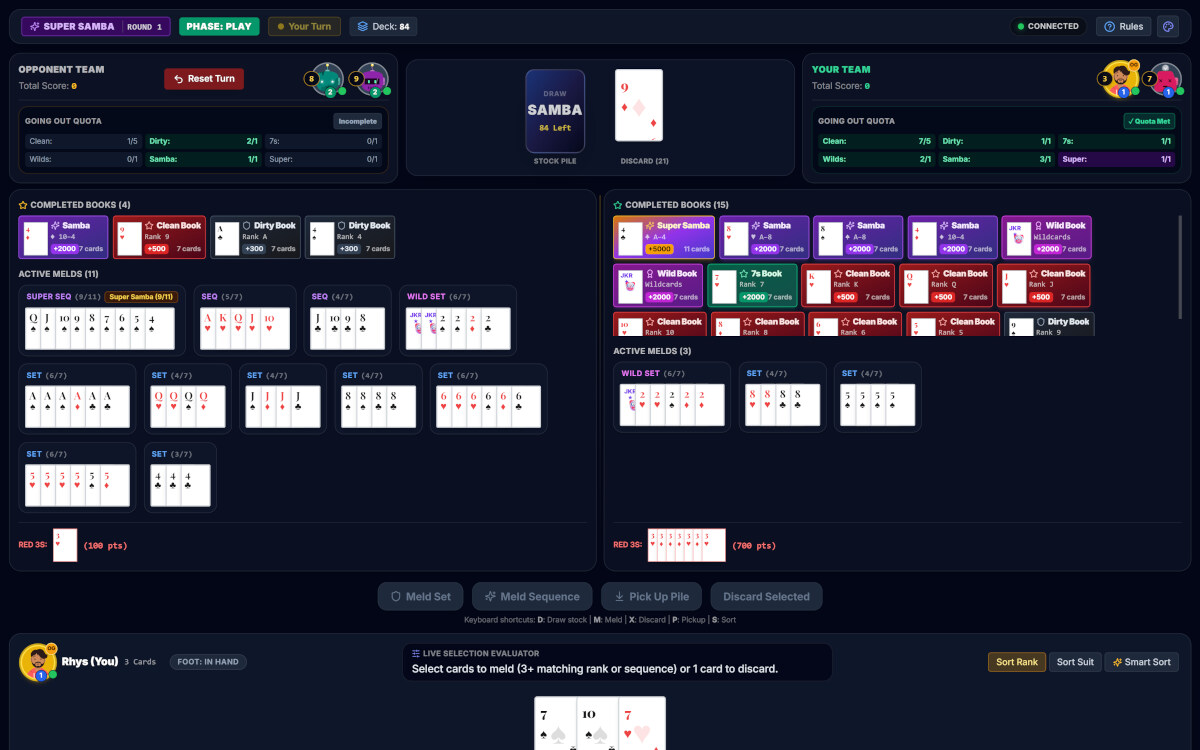
Variant details, round indicators, team scoreboards, and live Going Out Quota trackers.
Center staging with live remaining deck counts, discard pile, and one-click drawing.
Top completed books gallery and active meld columns with live progression counters.
Live Selection Evaluator, keyboard shortcuts, quick action buttons, and multiple sort modes.
Sign Up in Seconds — No Credit Card Required
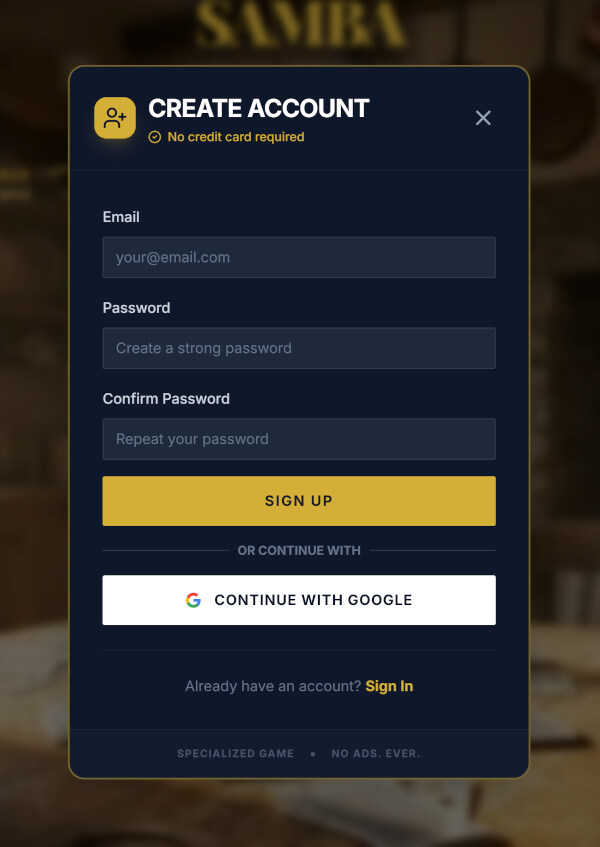
Getting started on PlaySambaOnline is completely free and requires zero payment details. We believe in providing a pure, authentic card-playing sanctuary from your very first click.
No credit card or billing information needed to register and start playing.
Enjoy 30 days of full multiplayer access vs humans and bots worldwide at no cost.
One-click sign-in with Google or standard email and password authentication.
A clean, uninterrupted experience designed for card lovers—no banner ads or popups.
Single Player or Multiplayer — Your Central Hub
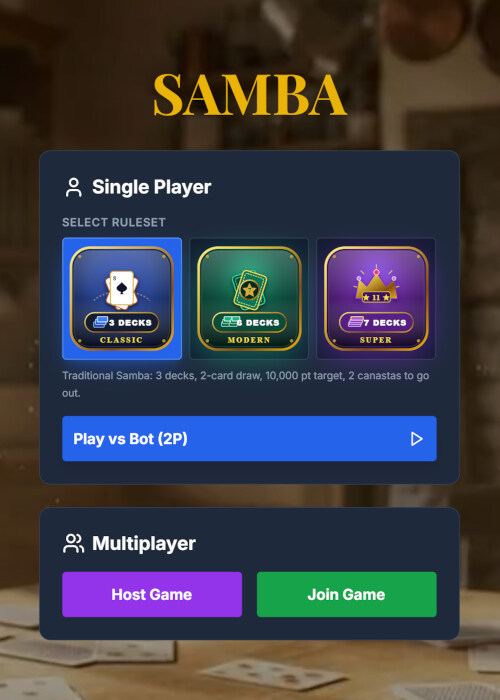
The lobby is your starting pad for every session. Select your preferred Samba ruleset profile and decide whether to hone your strategy solo or jump into a multiplayer table.
Single Player (Free Forever)
Practice anytime against our intelligent Samba bot. Test strategies and play unlimited hands at your own pace without time pressure.
Host or Join Multiplayer
Launch a customized room for your friends, broadcast to the public lobby, or enter an active room code to join an existing game.
Top-Right Navigation: Notifications & Profile
In the top right of the lobby, access the Notifications Bell for table invites and announcements, or tap your Profile to check game history, stats, and the Avatar Studio.
Express Yourself in the Avatar Studio
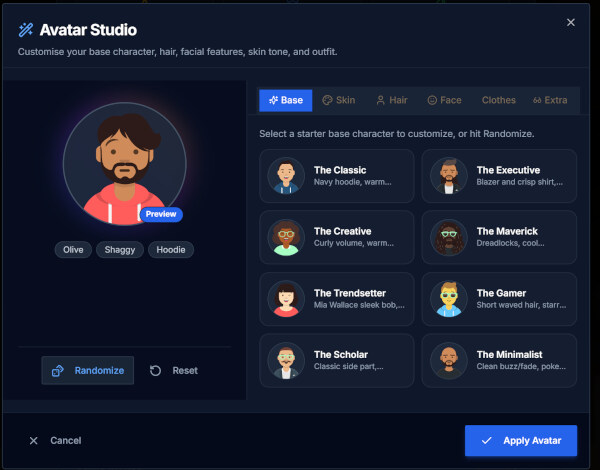
Make your seat at the virtual table uniquely yours. The built-in Avatar Studio allows you to design and customize a distinctive character that represents you across the lobby, team scoreboards, and in-game seats.
Deep Character Customization
Customize base archetypes, skin tones, hair styles and colors, facial features, outfits, and accessories.
8 Distinct Starter Archetypes
Choose from ready-to-play archetypes including The Classic, Executive, Creative, Maverick, Trendsetter, Gamer, Scholar, and Minimalist.
Randomize & Reset
Tap Randomize for instant design inspiration or Reset to start fresh anytime.
Live Across All Tables
Hit Apply Avatar and your new character immediately updates across all multiplayer rooms, leaderboards, and live HUD displays.
Pre-Start Configuration & Table Coordination
Whether hosting friends in multiplayer or playing solo, you have full control over match duration, going-out quotas, and room sharing.
Multiplayer Waiting Room
Share your 6-character room code with friends, broadcast invites, or fill empty seats with bots.
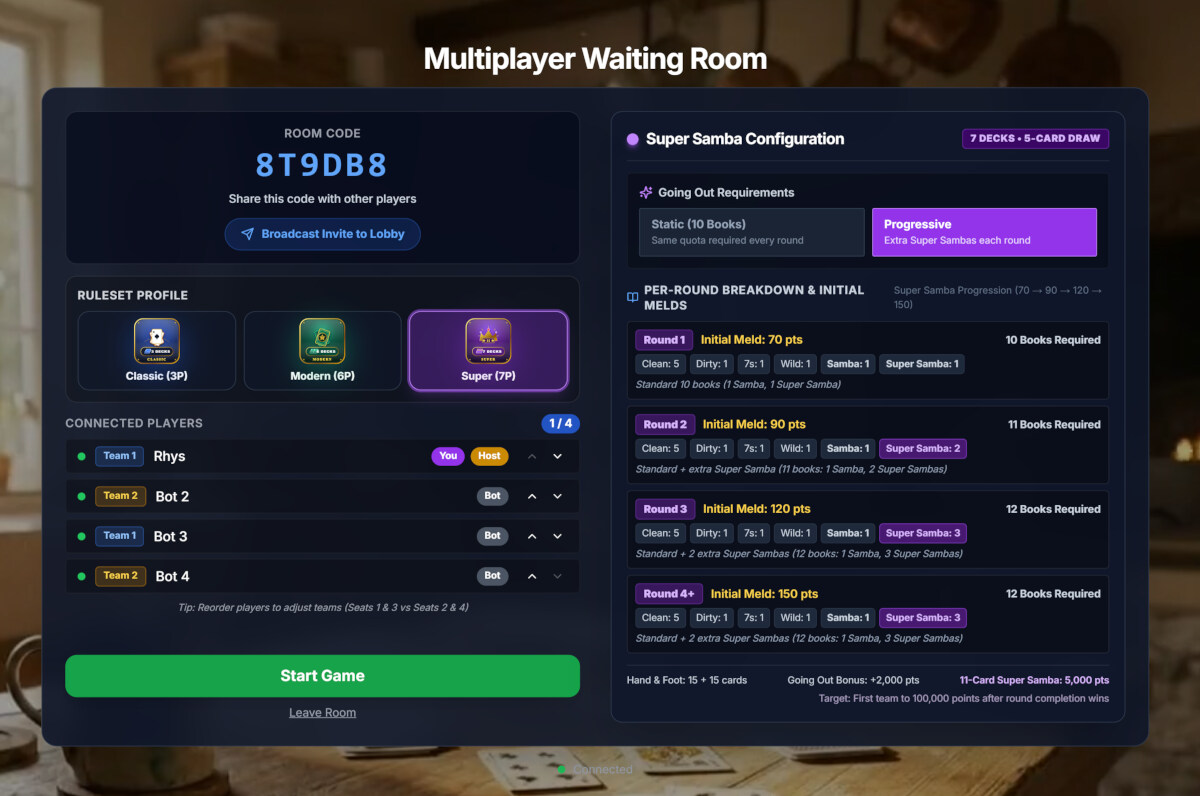
- Broadcast or Invite: Broadcast your room code directly to the lobby or share it privately with 1, 2, or 3 friends.
- Partnership Management: Reorder players to choose team pairings (Seats 1 & 3 vs Seats 2 & 4).
- Automated Bot Fill: Unfilled seats are automatically populated with intelligent AI bots so games start immediately.
Ruleset Profile & Quotas
Fine-tune match length, book requirements, and initial meld progressions before dealing cards.
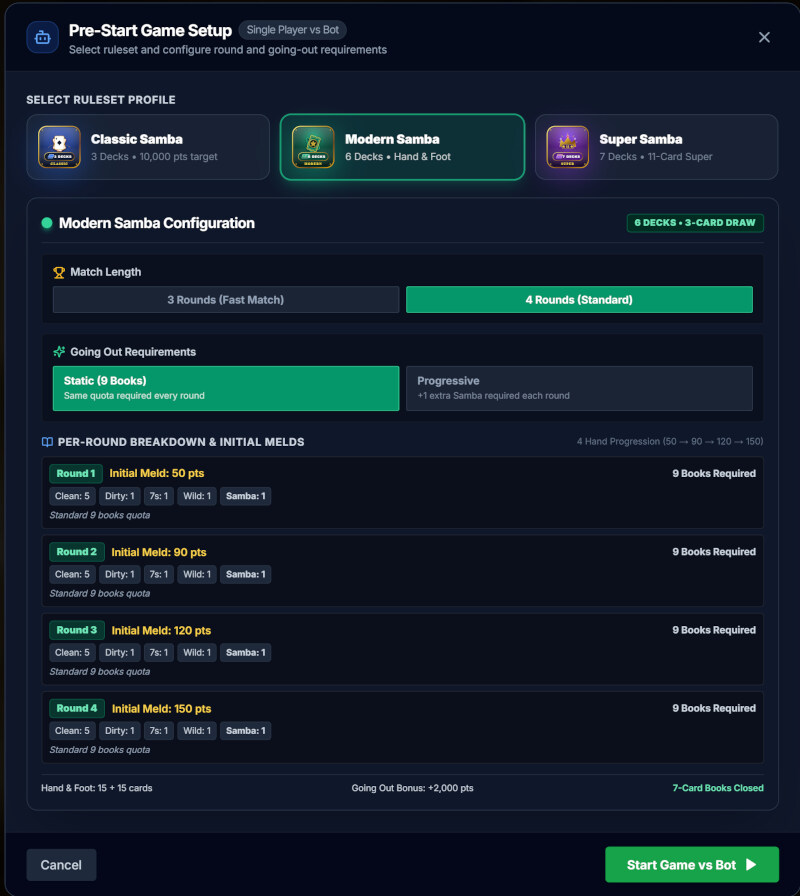
- Match Length: Choose between a 3-Round Fast Match or a full 4-Round Standard Tournament.
- Going Out Requirements: Select Static Quotas (e.g. 9 books in Modern, 10 in Super) or Progressive Quotas (extra Sambas required each round).
- Initial Meld Thresholds: Transparent visibility into round-by-round point requirements (50 → 90 → 120 → 150 pts).
Top Status Bar, Scoreboards & Deck Staging
The top bar keeps critical game state accessible at all times. Monitor turn order, live quotas, and draw your cards with one click.

Header displays variant, current round, turn indicator (Your Turn), and live connection status.
Click Rules anytime to view full interactive rules mid-game. Tap the palette icon to switch table color themes.
Opponent and Your Team scoreboards track total match points, avatars, and live requirements (Clean, Dirty, 7s, Wild, Samba, Super).
Center area displays remaining stock and discard pile. Click the draw deck to draw your cards (2 in Classic, 3 in Modern, 5 in Super).
Active Melds, Completed Books & Red Threes
The table meld surface cleanly separates your team's works-in-progress from completed books, providing instant clarity on quota progress and bonuses.
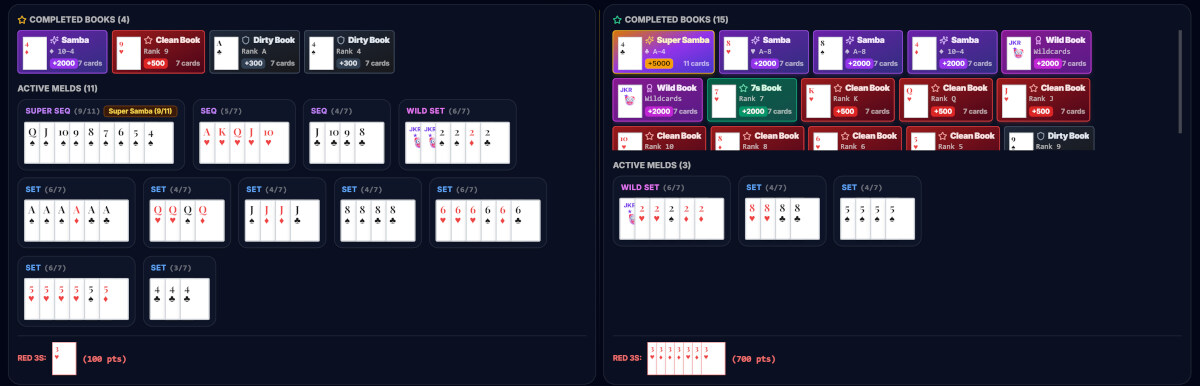
When a meld reaches book size (7 cards for Clean, Dirty, Wild, 7s, or Samba; 11 cards for Super Samba), it closes and moves to the top gallery. Closed books are safe from opponent disruption and lock in high bonuses.
Organizes active sets, suited sequences (SEQ), super sequences (SUPER SEQ), and wild sets. Progress badges show exact card count toward book completion (e.g. 4/7, 6/7, 9/11).
To add cards to an existing team meld on the table, simply select the valid card(s) in your hand and click directly on the target meld. Red Threes (3♥/3♦) place automatically into the bottom tray for +100 pts each.
Action Controls, Sorting & The Live Evaluator
Your player bar puts sophisticated tools at your fingertips—from real-time meld evaluation to intuitive keyboard shortcuts and flexible card sorting.

Dedicated buttons for Meld Set, Meld Sequence, Pick Up Pile, and Discard Selected.
Dynamically analyzes cards selected in your hand—providing instant validation, meld points, and discard guidance before you confirm.
Organize by numerical rank, suit group, or smart potential melds. Plus interactive drag-and-drop to arrange cards manually.
Tracks card count and Foot status (FOOT: IN HAND). In Modern & Super Samba, Foot releases when completing your team's first book or emptying your hand.